Aller au contenu principal

Mises à jour

Suivez les nouvelles mises à jour et améliorations de Senja.

Your buyers just stepped out of the shadows 🕵️ [Sales Widget upgrades + Thank Yous reporting]

Hello there, friend!

Last week we launched the Senja Sales Widget, and you told us what you wanted next, so we got straight back to work 🛠️

Your Sales Widget got a big upgrade 🛍️

Your sales cards now show the buyer’s name, where they’re from, and the exact product they bought. So instead of “Someone just purchased,” your visitors see “Sarah K. from Portugal purchased Creator Club” and a real name and place are much easier to trust.

You can also change the wording for each product, so “Purchased Creator Club” can say “Joined Creator Club” instead. Have they purchased? Joined? Became part of the family? You pick what works best 💁‍♀️

Verified by Senja ✅

Trust issues? Not on your website 💅

You and your visitors have probably seen those “someone in Texas just bought this” pop-ups and wondered if anyone actually did.

With Senja, every sale comes from your Stripe account and gets verified, so now your visitors can tap Verified by Senja and see the proof of that exact purchase for themselves, meaning they don’t have to take your word for it.

👉 Try the Sales Widget

You can now see how your Thank yous are doing 💌

After you send a Thank You, you can see the whole journey in your reporting:

- If it was delivered
- If it was opened
- How your customer reacted
- If they redeemed your coupon

You’ll also see how many Thank Yous you’ve sent each week, so you can keep an eye on your streak.

No more wondering if your heartfelt video got watched or left on read 👀

👉 See your Thank yous reporting

The Sales Widget is still brand new, so we’d really love to hear from you. What would make it even more useful for you? Tell us in the comments. 💜

Ana
Senja Customer Growth Marketer 💜
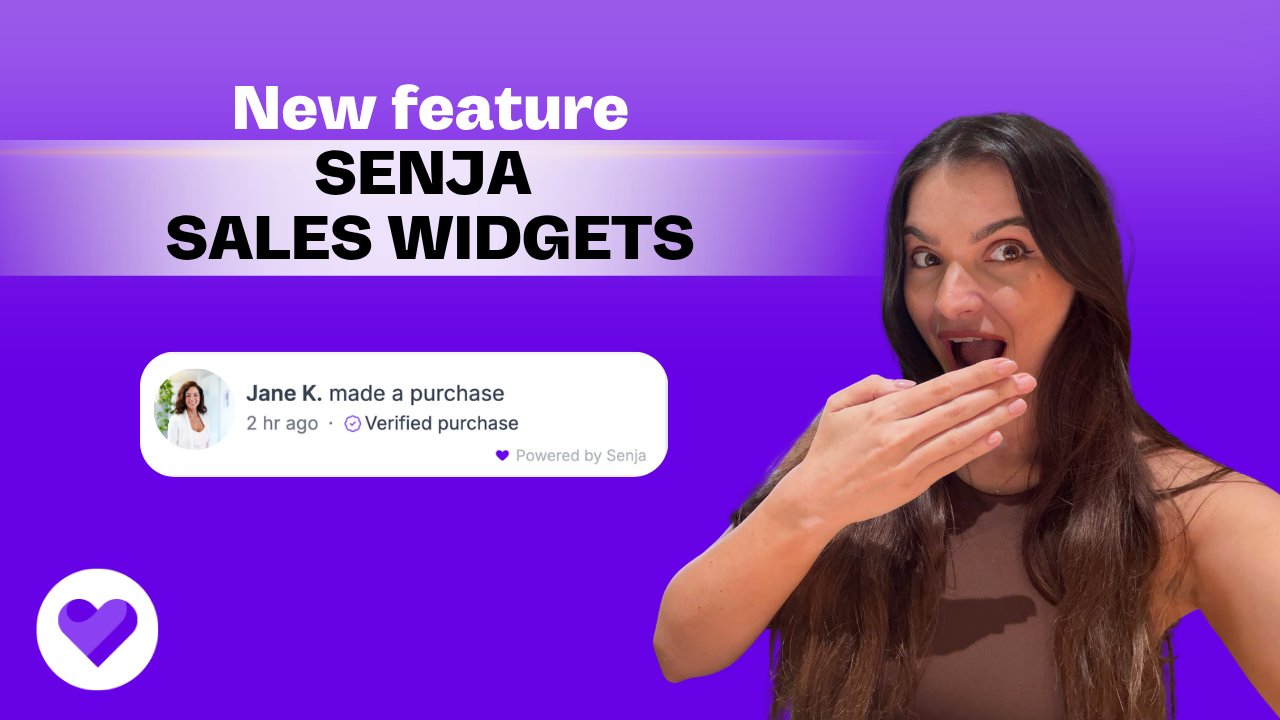
Social proof, but make it sales 🛍️ Show off real purchases with the new Senja Sales Widget

Hello there, friend!

When people see others buying, they want in too. It’s human nature, and now it’s on your website.

Meet the Senja Sales Widget

It sits in the corner of your website and shows recent purchases from real customers. Each one can carry a verified purchase mark, so your visitors know it’s the real deal and not your mum buying her fifth copy 😅.

Why we built it

Testimonials tell people your product works. Seeing other people buy it tells them it’s worth buying today.

A lot of you (hi Jay Clouse 👋) asked for a way to show that buzz without paying for yet another tool. So we built it right into Senja, next to your testimonials.

What it does for you

  • Builds trust in seconds: visitors see real people buying from you, so they don’t have to take your word for it

  • Gives you authority: a steady flow of sales shows your product is in demand

  • Helps people decide: shows up on your pricing page, right when someone is hovering over the buy button

  • Keeps it honest: every popup comes from a real purchase, so there are no made-up numbers

Where it shines

  • Sales and pricing pages

  • Course, product or offer launch pages

  • Your homepage, so new visitors see the action straight away

You’ll find it on the menu, under Sales Widget. Watch the video above to see it in action, then try it yourself.

Go check it out and tell us what you think in the comments.

We read every single one.

Ana
Senja Customer Growth Marketer 💜

Your testimonials have been talking behind your back 👀 [Senja in Slack, Voice of Customer, and more]|

Hello there, friend!

We've been busy, so grab a coffee and let me walk you through what's new in Senja ☕


1. Senja assists you in Slack 💬

Your team can now find the right testimonial without leaving Slack, and without messaging you to ask where it is. (We see you, marketing folks!)

Just mention Senja in any channel or DM and ask for what you need, the same way you'd ask a colleague. For example:

  • "Give me 3 quotes I can put on our pricing page"

  • "Find a testimonial from a SaaS founder I can send to a prospect"

  • "What do customers say about switching from our competitor?"

Senja searches all your testimonials and replies right there in the thread, with the full testimonial, who said it, and three quick links for you to open it in Senja, open the public page, or open it as an image ready to share.

This is a big one for sales and support teams. Next time a prospect asks "does this work for companies like mine?", the proof is one message away.

Already connected Slack to Senja? Give it a quick reconnect in your project settings. This will allow Senja to become your personal testimonial assistant in Slack 🤖

2. Analyze is now Voice of Customer 🗣️

You've collected a pile of testimonials, and now Senja reads all of them for you and tells you what your customers keep bringing up. Super handy when you're writing website copy, planning a launch, or trying to figure out what to fix first.

  • Themes (available on Starter and Pro plans): See the topics your customers talk about the most, and the quotes that say it best. Copy their words or turn a quote into a ready-to-share image ✨

  • Run a report (available on all Senja plans): This is where you really get to know your customers. Find out:

    • the most common things your customers say about you

    • what they love about you

    • what they wish you'd improve

    • what life looked like before they found you

    • the words they use most to describe working with you

    Want to run a report on a different question? Type it in, and Senja will analyze your testimonials to give you the right answer 🔍

    It's like sitting down with all of your customers at once, listening to them and taking notes, so your messaging, product, and next decisions are aligned with the people who use it. (Except you don't have to do any of that, because Senja just did it for you 😎)

3. Forms now save progress 💾

This was one of your most requested updates! Your customers won't have to start from scratch if something goes wrong halfway through, like their cat closing the form or losing their internet connection. Their progress is saved for 7 days so they can continue where they left off.

4. Ask for a video testimonial 🎥

Got a customer who already wrote you something lovely? They're the easiest people to ask for a video, and now it only takes a couple of clicks to do just that.

5. Contact us from your account menu 📬

We moved Contact Us so it's easier to find, and we'll already know which project and plan you're on, so you won't have to explain yourself twice anymore.

That's a wrap for this round. Go check it out and tell us what you think in the comments.

Olly, Rani, Nikolai, and I read every single one. We pinky promise 💜

Ana
Senja Customer Growth Marketer 💜

Mises à jour précédentes