Widget/Wall of Love: Google badge size/position
Inconsistent use of Google badge
When 'selecting testimonials' in a grid widget you see nicely the customer google photo with a google icon on it. But on the wall itself, you see the customer photo on the left, and then a separate large google icon on the right. It would be much cleaner to show the same as during testimonial selection. Customer photo with small google icon ON it.
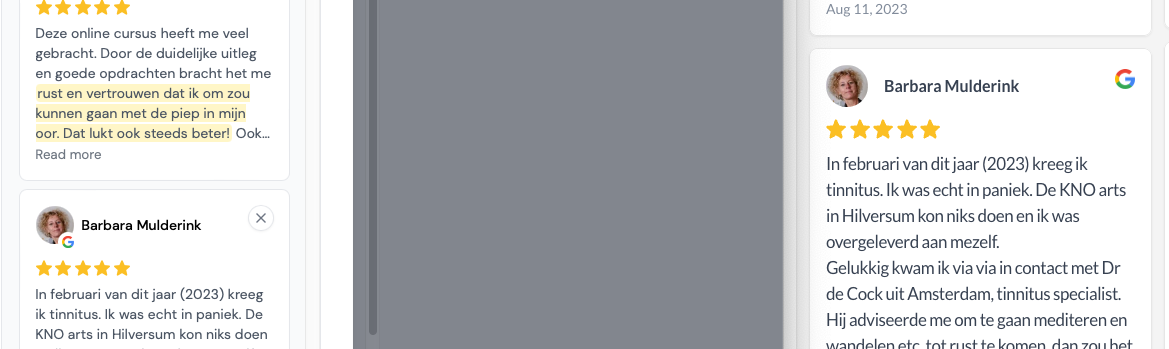
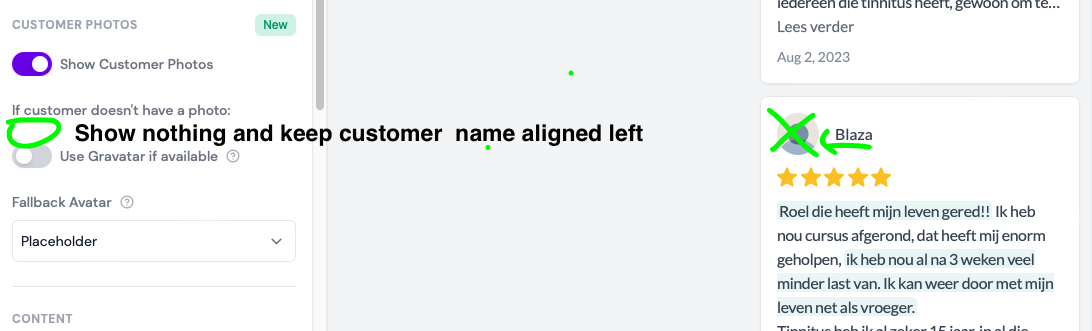
Furthermore it has been a while back since I requested to have NO customer avatar if nothing is available and keep customer name aligned left. Maybe this will be ugly if you have a review right above it which does have a customer avatar, so then maybe you could place the customer avatar on the top right corner if available, and always keep the customer name aligned left.
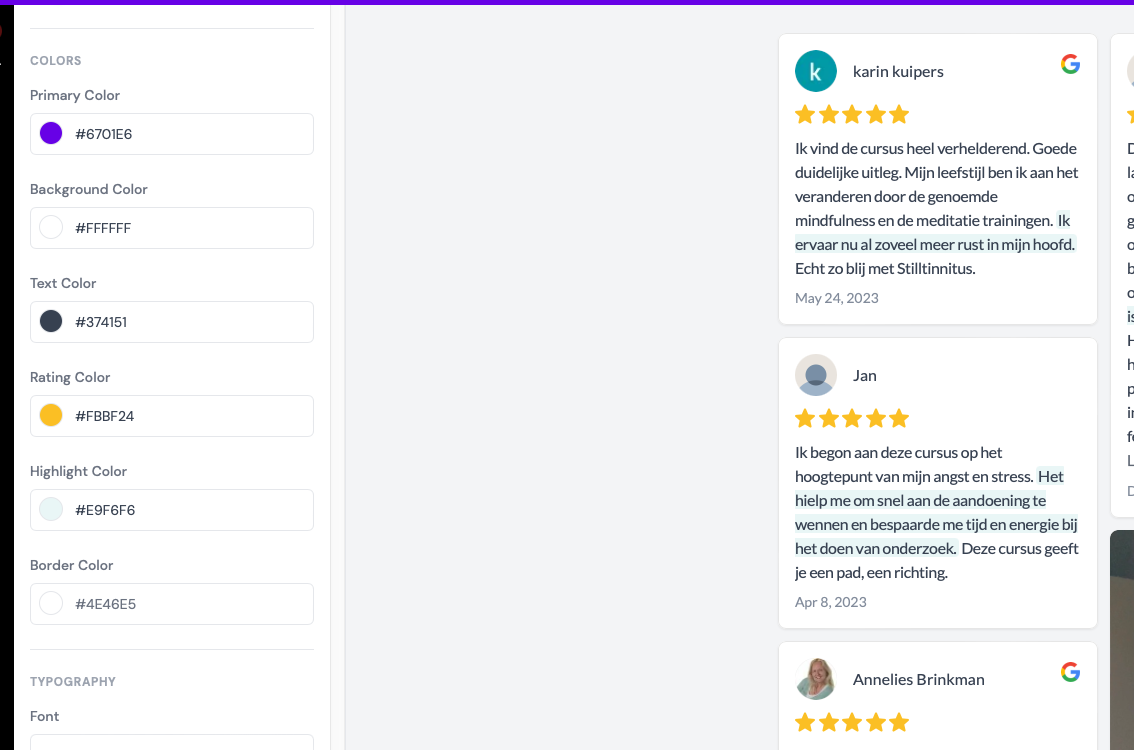
Also, I would like to be able to change the color of the badge when the customer has a google review, but no photo on google. That color is now green but not editable.
Log in to comment and vote
Comments1
Rani
Jan 29
Hey @Roel
Re-consistent design
It is intended to have variation in each widget/Wall of Love style
Re-no customer avatar
You can opt out from showing customer photos (applied to most of the widget styles)
But it’s not possible to show some and hide some others
Re-avatar background color
You can set it up in Design tab of your widget
Select Initials as Fallback Avatar and choose the color that you want
I’m keeping this post under Discussing while waiting for more upvotes from other Senja customers.
Thanks for the suggestion. 💜
Rani - Senja Support & Ops