
Proof Reels: More visual customization

Some improvement ideas for Proof Reels settings/functionalities.

Color setup without background

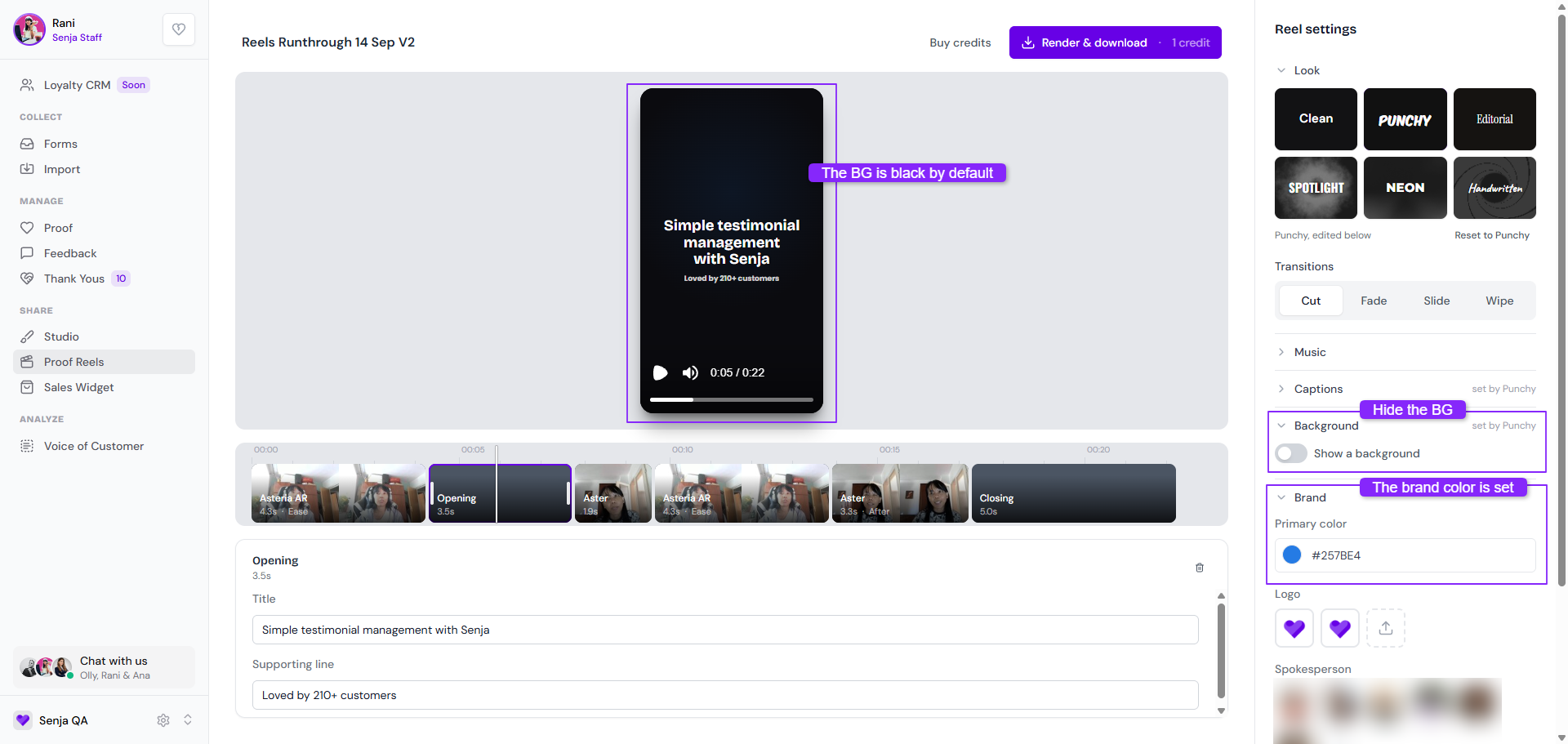
  • Currently when hiding a BG (toggle off Show a background section), the Opening/Closing card is set to black by default

  • Hiding the background is important when we want to have the video in full size

  • Changing the Brand > Primary color didn’t impact the BG color of Opening/Closing card
Change the font on Opening/Closing cards

  • When choosing the font for the caption, it doesn’t impact the Opening/Closing cards

  • There is no option in the Reel settings to change the font face of the Opening/Closing cards

  • The font option is limited, unlike in forms/widgets/Walls of Love

Option to remove the project name

  • When opting in the Show a background section, the project name is shown on top of the testimonial video

  • If the Brand > Logo is enabled, the logo showed up along with the project name

  • Is there any way to keep the logo only, removing the project name?

Status: Discussing

Log in to comment and vote

No comments yet

Be the first to share your thoughts.